Segmentation And Label Cleanup
Segmentation workflows usually turn an intensity image into a mask, then into labels.
Basic Pattern
Image Source
  -> Extract Channel or Split Channels
  -> optional background correction / denoising
  -> threshold
  -> morphology cleanup
  -> Label Connected Components
  -> label filtering
Recommended First Graph
Image Source
  -> Split Channels
  -> Gaussian Blur
  -> Otsu Threshold
  -> Fill Holes
  -> Remove Small Objects
  -> Label Connected Components
  -> Filter Labels By Volume
Key Nodes
| Step | Common nodes |
|---|---|
| Channel selection | Extract Channel, Split Channels |
| Smoothing | Gaussian Blur, Gaussian Blur 3D, Median Filter, Non-Local Means |
| Background | Rolling-Ball Background, Subtract Background |
| Threshold | Otsu Threshold, Triangle Threshold, Li Threshold, Yen Threshold, Binary Threshold, local threshold nodes |
| Mask cleanup | Fill Holes, Remove Small Objects, morphology nodes |
| Label creation | Label Connected Components, watershed nodes |
| Label cleanup | Clear Border Objects, Filter Labels By Volume, Filter Labels By Property, Relabel Sequential |
How Global Automatic Thresholds Use The Data
Otsu Threshold, Triangle Threshold, Yen Threshold, Isodata Threshold,
and Minimum Threshold calculate from every finite value in the selected
scope. VIPP does not estimate these thresholds from a pixel sample.
| Input | Scientific behavior |
|---|---|
| Boolean mask | The input is already a segmentation, so VIPP preserves its True/False decisions instead of thresholding it again. |
| Integer image | Every native integer level from the observed minimum to maximum receives its own bin. This is exact for spans of up to 65,536 levels. |
| Floating-point image | All finite values are counted into the saved Float histogram bins setting: 2–65,536 bins, with 256 as the default. |
| Li threshold | Li operates iteratively on the raw finite intensity values and does not have a histogram-bin setting. Integer inputs retain exact native offsets; a relative span wider than 2^53 reports an error because Li's float64 iteration cannot represent every level faithfully. |
For a wide integer image whose observed range spans more than 65,536 levels,
VIPP stops with an explanatory error. It does not silently merge integer
levels. Convert or rescale deliberately to uint16 or floating point, record
that step, and inspect its effect before thresholding.
NaN, positive infinity, and negative infinity are excluded while an
automatic threshold is calculated. Those pixels become False (background)
in the output mask. An empty input or one containing no finite values reports
an error instead of receiving an invented cutoff.
The float bin count is a method parameter
For floating-point data, changing Float histogram bins can change the threshold and the resulting mask. The value is saved in the workflow. The bins drawn in the inspector are a separate display choice and do not replace this setting.
Practical bin guidance
- For
uint8,uint16, or another integer image with a range of at most 65,536 levels, leave Float histogram bins alone: integer levels are counted natively regardless of that float-only setting. - For floating-point images, start with the saved default of 256. On the development set, compare scientifically plausible alternatives such as 256, 1,024, and 4,096 when the decision appears bin-sensitive.
- Do not assume that the largest allowed value is automatically best. More bins can make a sparse or noisy histogram less stable.
- Freeze and report the selected value with the threshold scope and preprocessing steps.
For example, a methods record might state: “Otsu thresholding used the complete
float32 stack with 1,024 histogram bins; non-finite pixels were treated as
background.”
Minimum Threshold Failure Is Explicit
Minimum Threshold repeatedly smooths the exact histogram until two maxima
remain, then selects the valley between them. Maximum smoothing iterations
is a saved parameter from 1 to 10,000; the default is 10,000.
Some distributions do not have a suitable two-peak solution. If two maxima cannot be found, or the saved iteration limit is reached, the node reports a failure. VIPP does not silently substitute Otsu, reuse an old threshold, or return a plausible-looking mask. Treat the failure as evidence that this method is unsuitable for that input or that preprocessing needs review.
2D Versus 3D
For z-stacks, decide whether objects should be connected across Z.
- Use 2D processing when each
YXplane should be independent. - Use 3D processing when the object exists as one
ZYXvolume. - Use
Auto from axesonly after checking that VIPP has interpreted the axes correctly.
Split Touching Objects
Use watershed when simple connected components merge neighboring objects:
mask
  -> Euclidean Distance Transform
  -> H-Maxima Markers
  -> Marker-Controlled Watershed
  -> Filter Labels By Volume
For a compact single-node starting point, use Auto Watershed From Mask.
Reference Workflow
Use:
This demonstrates red/TRITC-like channel segmentation, mask cleanup, labels, border clearing, volume filtering, and inspectable outputs.
What To Check
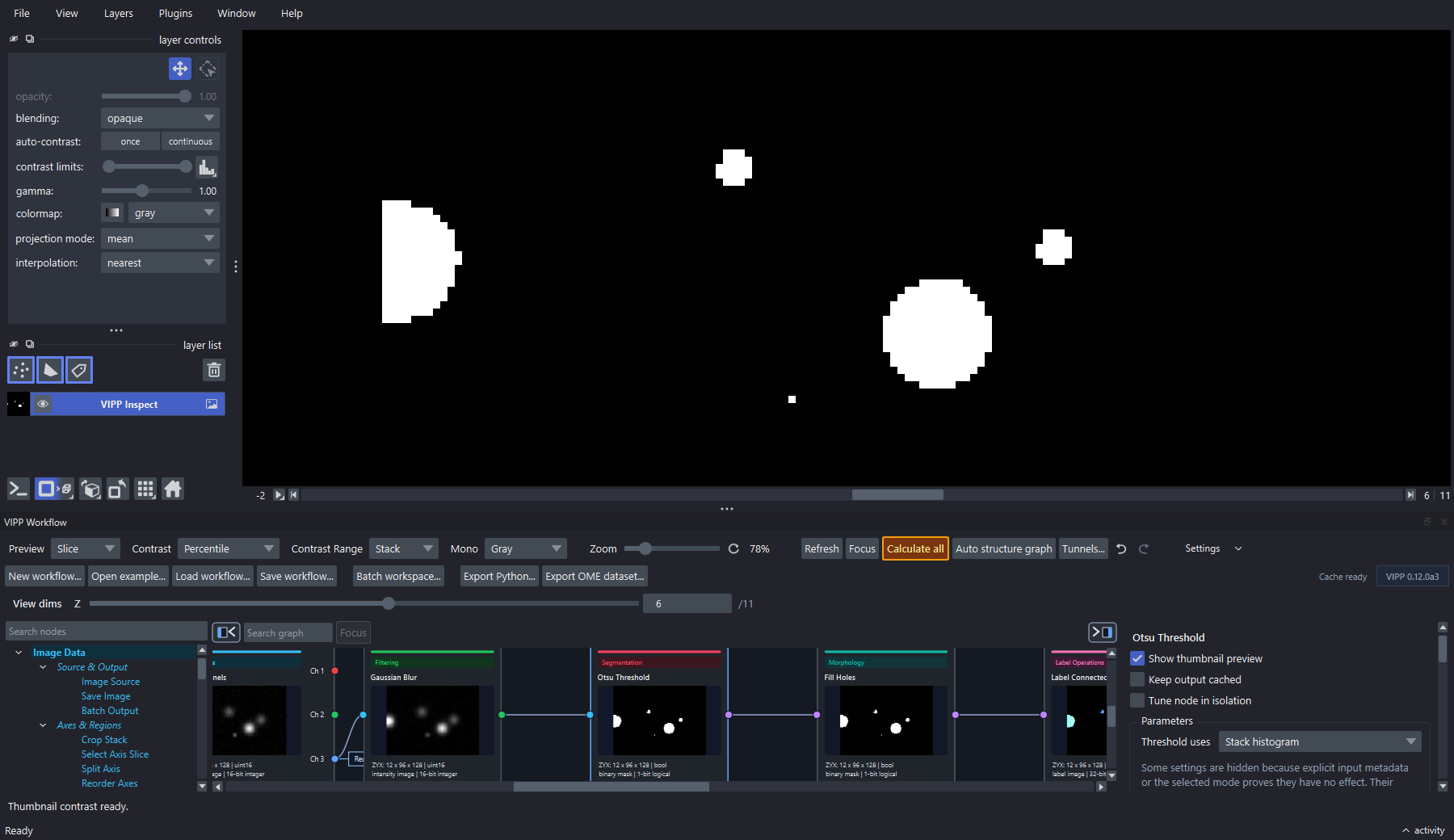
Inspect a decisive intermediate at full resolution. Here the threshold mask is pinned in napari while its graph node and input histogram remain visible.
- Does the mask include the biology of interest?
- Are background/noise structures being labeled as objects?
- Are touching objects merged?
- Are small objects biological or artifacts?
- Are physical units correct before size filtering or measurement?