Object Measurements And Tables
Measurement workflows start from labels and produce tables.
Basic Object Measurement
Measure Objects reports object identity, size, centroid, bounding box,
equivalent diameter, extent, Euler number, and optional morphology groups. When
spatial scale metadata exists, physical-unit columns are emitted where the
calculation is well-defined.
Object Plus Intensity
This produces object morphology plus per-label intensity summaries such as mean, minimum, maximum, sum, and standard deviation.
Use this when you want measurements such as:
- intensity per nucleus;
- reporter intensity per cell;
- channel intensity inside segmented objects;
- object features for PCA or treatment separation.
CPU and GPU measurement coverage
The 0.13.0a4 cuCIM candidates cover only the basic Measure Objects and
Measure Objects + Intensity schemas. They require native-endian,
non-negative int32 labels in resolved 2D/3D leading blocks. The intensity
variant additionally accepts matching Boolean, uint8, uint16, or finite
float32 intensity data.
Enabling shape/axis/boundary descriptors, derived ratios, 2D moments, or other extended groups keeps the complete node on the authoritative CPU path. This is expected and appears in the node decision; the GPU provider never returns a reduced table while pretending the requested schema was complete. Its bounded device calculation is finished by an exact typed host-table finalizer that preserves schema, row/column order, units, integer fields, and missing-value semantics.
The standard gpu-cuda13 extra does not distribute the separately reviewed
cuCIM Windows build, so these nodes normally remain CPU after an ordinary GPU
install. Windows users may add their own manifest-verified build of the exact
pinned cuCIM 26.6.0 source. See the
Windows CUDA guide and
choose and verify compute.
3D Mesh Morphology
Use this for true ZYX labels when surface area, mesh volume, sphericity,
convex hull metrics, or 3D solidity matter.
This node is manual/cached because mesh calculations can be expensive.
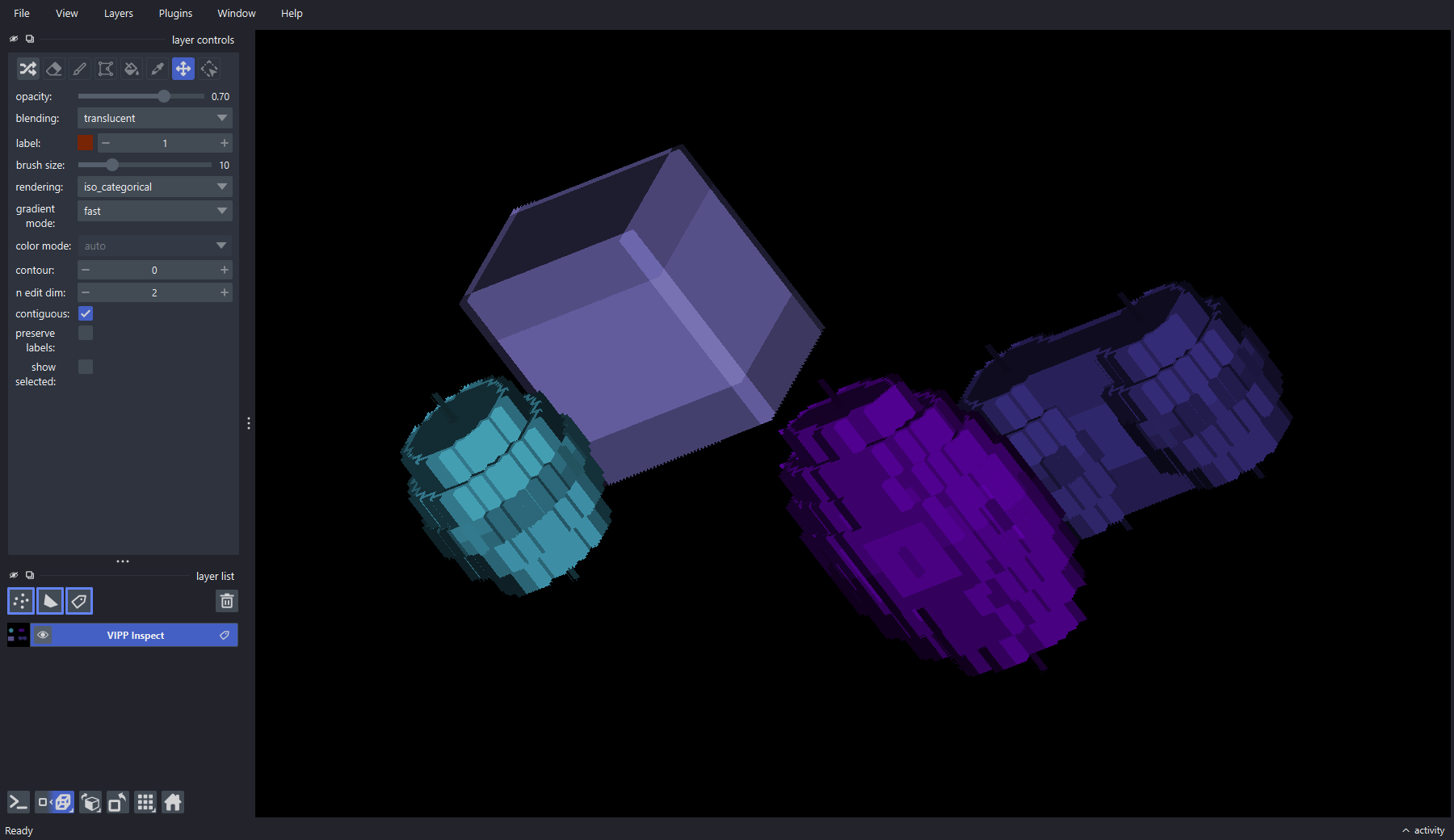
Inspect the 3D label geometry as well as the resulting table. The bundled phantom includes varied shapes and anisotropic calibration for regression and demonstration—not biological validation.
Table Assembly
flowchart LR
  L["Labels"] --> M["Measure Objects"]
  L --> I["Measure Objects + Intensity"]
  X["Matching intensity image"] --> I
  L --> D["Measure 3D Mesh Morphology"]
  M --> J["Merge Tables"]
  I --> J
  D --> J
  J --> S["Select Table Columns"]
  S --> A["Add Metadata Columns"]
  A --> U["Summarize or Batch Output"]
Only merge branches that share compatible identity keys and meaning. A table with the expected row count can still be wrong if time, label, or source identity columns were dropped or misaligned.
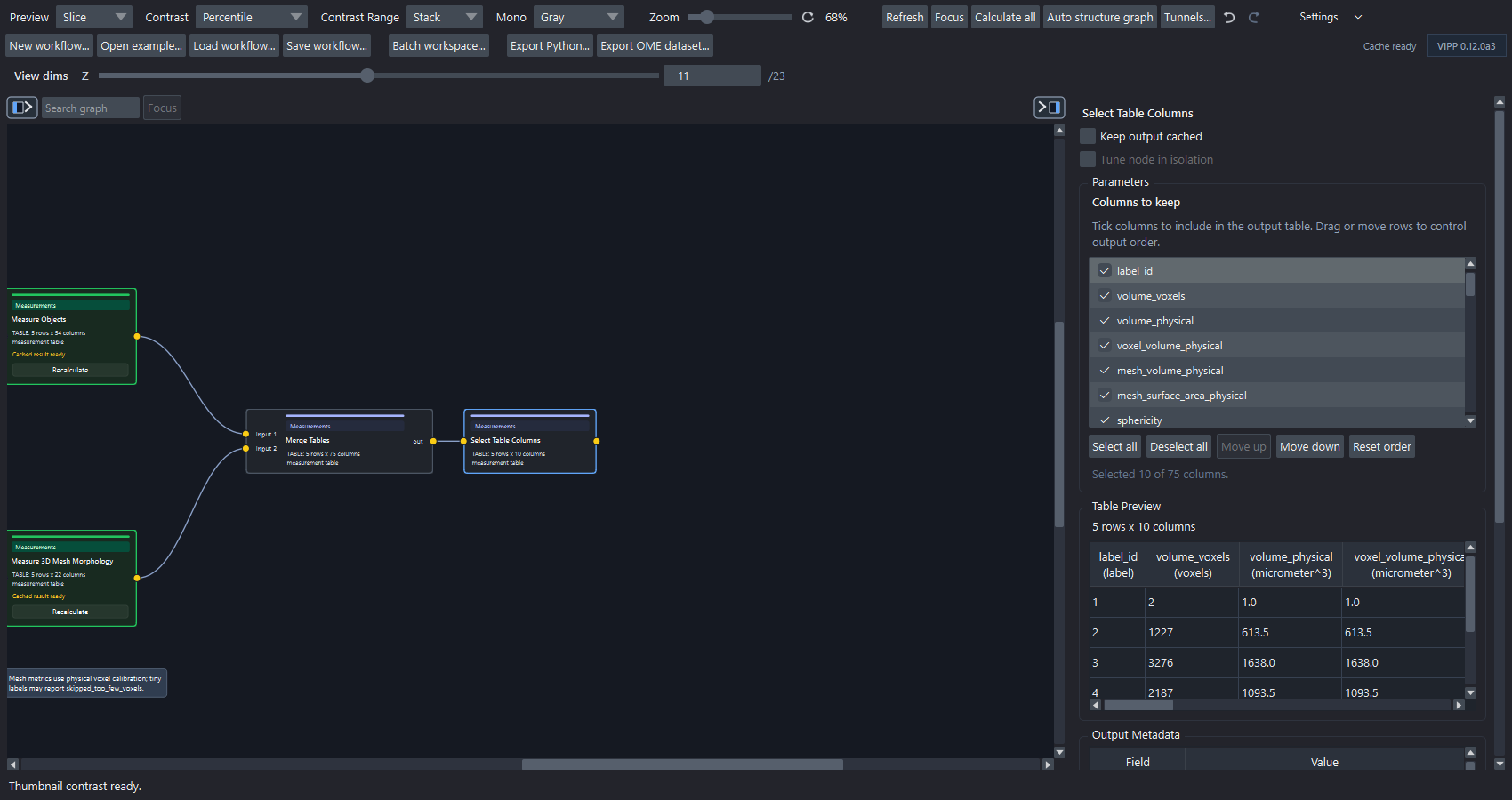
The bundled mesh example combines calibrated object and mesh measurements, then selects a compact table whose rows, columns, units, and values can be reviewed before export.
Reference Workflows
| Workflow | Purpose |
|---|---|
red-channel-object-intensity-measurements.json |
Labels plus matching intensity image into Measure Objects + Intensity. |
red-channel-merged-measurement-table.json |
Object morphology, intensity, table merge, and metadata columns. |
synthetic-measurement-summary.json |
Grouped summaries with known object counts and areas. |
synthetic-derived-object-morphology.json |
Derived 2D morphology, circularity, and Hu moments. |
synthetic-3d-mesh-morphology.json |
True-3D mesh morphology on anisotropic synthetic objects. |
What To Check Before Export
- Are labels correct?
- Are label IDs stable after filtering?
- Are scale and units correct?
- Are leading axes such as time represented by identity columns?
- Do table units match the reported measurement?
- Have metadata columns such as treatment, replicate, or batch been added?